

Windows 11 Release Information
📋 Update Changelog
UPDATE 30 – 08/19/2026 LATEST
- Updated .NET Framework
- Updated Windows Recovery
- Startmenu for SE
2026
UPDATE 29 – 07/23/2026
- Updated .NET Framework
- Updated Windows Recovery
- Startmenu for SE
UPDATE 28 – 06/20/2026
- Updated .NET Framework
- Updated Windows Recovery
- Updated WPE Bootable
- Windows K2 Features Unlocked
- Improved Upgrade System
UPDATE 27 – 05/24/2026
- Framework: Updated .NET Framework
- Update: Windows Recovery
- Improved Windows Features
- Xbox Mode Unlocked 🎮
UPDATE 26 – 04/23/2026
- Framework: Updated .NET Framework
- Update: Windows Recovery
- Update: Startmenu for SE
UPDATE 25-2 – 03/22/2026
- Update: Windows Recovery
- Fixed: Touch Keyboard
- Fixed: Other Language Error 0x800704CF
UPDATE 25 – 03/14/2026
- Framework: Updated .NET Framework
- Update: Windows Recovery
UPDATE 24-3 – 03/02/2026
- Fixed: Version Mismatch 25H2 > 24H2
UPDATE 24 – 02/16/2026
- Framework: Updated .NET Framework
- UI: Updated Startmenu for SE
UPDATE 23 – 01/18/2026
- Framework: Updated .NET Framework
- UI: Updated Startmenu for SE
2025
UPDATE 22 – 12/21/2025
- Framework: Updated .NET Framework
- UI: Updated Startmenu for SE
- Bootable: Update AOMEI Partition Manager
- Bootable: Update WinNTsetup
- Bootable: Update CPU-Z
UPDATE 21 – 11/14/2025
- Framework: Updated .NET Framework
- UI: Updated Startmenu for SE
- Recovery: Updated Windows Recovery Environment
- Drivers: Updated Bootable Driver (ISO)
- System: Improved Tweaking for S/SE
UPDATE 20 – 10/20/2025
- Framework: Updated .NET Framework
- UI: Updated Startmenu for SE
- Recovery: Updated Windows Recovery Environment
- Drivers: Updated Bootable Driver (ISO)
- Expand: Ratio 2/5 16M /S
UPDATE 18-3 – 08/27/2025
- Framework: Updated .NET Framework
- UI: Updated Startmenu for SE
- Drivers: Updated Bootable Driver (ISO)
- Fixed: Minor bugs
UPDATE 17 – 07/13/2025
- Framework: Updated .NET Framework
- UI: Updated Startmenu for SE
- Removed: Cross-Device Resume on S/SE
- Drivers: Updated Bootable Driver (ISO)
UPDATE 16 – 06/20/2025
- Framework: Updated .NET Framework
- UI: Updated Startmenu for SE
- Drivers: Updated Bootable Driver (ISO)
- Recovery: Updated Windows Recovery Environment
- Base: ISO based on Official 24H2 April Update Release (consumer)
UPDATE 15 – 05/17/2025
- Framework: Updated .NET Framework
- UI: Updated Startmenu for SE
- Feature: Disabled AI Click To Do on S/SE
UPDATE 14 – 04/11/2025
- Framework: Updated .NET Framework
- UI: Updated Startmenu for SE
- System: Improved System Upgrade (ISO)
UPDATE 13 – 03/15/2025
- Framework: Updated .NET Framework
- UI: Updated Startmenu for SE
- Drivers: Updated Bootable Driver
- Fix: Fixed Single Language Edition not changed on COMPACT
- Base: ISO Based on The Official FEB Update
UPDATE 12 – 02/16/2025
- Framework: Updated .NET Framework
- UI: Updated Startmenu for SE
- Fix: Fixed Printer on S/SE admin accounts
- System: Improved System Upgrade (ISO)
UPDATE 11 – 01/20/2025
- Framework: Updated .NET Framework
- UI: Updated Startmenu for SE
- Fix: Fixed File Explorer “see more” opens upwards
2024
UPDATE 10 – 12/15/2024
- Framework: Updated .NET Framework
- UI: Updated Startmenu for SE
- Fix: Fixed Sandboxie not installing
UPDATE 9 – 11/15/2024
- Framework: Updated .NET Framework
- UI: Updated Startmenu for SE
- Security: Improved Admin Account on S/SE
- Performance: Improved in Gaming (better than v2033)
- Fix: Fixed Steel Series not installing on S/SE
- Fix: Fixed Restore point on S/SE
UPDATE 8 – 10/13/2024
- Framework: Updated .NET Framework
- UI: Updated Startmenu for SE
- Recovery: Updated Windows Recovery
- Graphics: DirectX new version
- Setup: Skip Out-of-box experience on S/SE
- Dependencies: Added Dependencies for LTSC
- Codec: Added AV1/HEVC/VP9 Codec
- Security: Bypass V2 / Secure Boot / TPM 2.0
- Base: ISO based on Official Release (1742)
UPDATE 7 – 09/14/2024 Preview
- Framework: Updated .NET Framework
- UI: Updated Startmenu for SE
- Feature: Disabled VMP on S/SE
UPDATE 6 – 08/20/2024 Preview
- Framework: Updated .NET Framework
- UI: Updated Startmenu for SE
UPDATE 5 – 08/10/2024 Preview
- Framework: Updated .NET Framework
- UI: Updated Startmenu for SE
UPDATE 4 – 07/15/2024 Preview
- Framework: Updated .NET Framework
- UI: Force Startmenu for SE
UPDATE 3.1 – 07/06/2024 Preview
- Framework: Updated .NET Framework
- Update: Updated Dynamic Update (winre)
UPDATE 2 – 06/17/2024 Preview
- Framework: Updated .NET Framework
FIRST RELEASE – 06/15/2024 Preview
- Base: ISO Based on Official Release Preview (24H2)
- Framework: Updated .NET Framework
- Removed: AI Recall on SUPERLITE/SE
- Boot: WPE Bootable based on 24H2
- Upgrade: Support upgrade without losing data from any previous Ghost OS Windows 11/10
- NOTE: New Bootable supports ReFS format
- NOTE: Can Upgrade without losing data from previous LTSC/LTSB or related to EnterpriseS.
🌐 SERVER: G H O S T B O X . W I N (Cloudflare)
⚠️ REMINDER: Older versions of the Toolbox only work with a Japan IP.
DOWNLOAD
Link : Download Now
File Size : 4.93 GB
File Format : ISO / 7zip
MD5 : efec95e170352a6b565561caa3a2470a
Downloaded :
UPDATE 19
Single Link: | DOWNLOAD
File Size : 4GB
Format : ISO / 7Zip
MD5: 022ff44cc5149794641bec80ca8d2e78
UPDATE 18-3
Single Link: | DOWNLOAD
File Size : 4GB
Format : ISO / 7Zip
MD5: 196b95b6f5bb652bda9009068bb561b8
UPDATE 17
Single Link: | DOWNLOAD
File Size : 4GB
Format : ISO / 7Zip
MD5: 9b1f83161f327ddee55c47f93cb83e1e bc10
UPDATE 16
Single Link: | DOWNLOAD
File Size : 4GB
Format : ISO / 7Zip
MD5: 76f024e425f56b699d7a459eba3ebc10
UPDATE 15
Single Link: | DOWNLOAD
File Size : 4GB
Format : ISO / 7Zip
MD5: 6c271389ade9a11b51da7feb31f7ab56
UPDATE 14
Single Link: | DOWNLOAD
File Size : 4GB
Format : ISO / 7Zip
MD5: 76b10006a2f8a5170dfbab2fd24875f8
UPDATE 13
Single Link: | DOWNLOAD
File Size : 4GB
Format : ISO / 7Zip
MD5: 8324da60185bb3b63f9c89bcd191839e
UPDATE 12
Single Link: | DOWNLOAD
File Size : 4GB
Format : ISO / 7Zip
MD5: 7ef05f606abff97ab5512806ba388805
UPDATE 11
Single Link: | DOWNLOAD
File Size : 4GB
Format : ISO / 7Zip
MD5: b49928b92dc288eff8bcb5d06b9d060c
UPDATE 10
Single Link: | DOWNLOAD
File Size : 4GB
Format : ISO / 7Zip
MD5: bcd131f419cc0104711a168b6d9cd0fc
UPDATE 9
Single Link: | DOWNLOAD
File Size : 4GB
Format : ISO / 7Zip
MD5: ca4462698151ac2357426cb7ec5c0e07
UPDATE 8
Single Link: | DOWNLOAD
File Size : 4GB
Format : ISO / 7Zip
MD5: b30416e26a02395d5b0493ca99c25dcd
UPDATE 7
Single Link: | DOWNLOAD
File Size : 4GB
Format : ISO / 7Zip
MD5: ac05b6c4b66ebedab2d3fa0d0a4e7241
UPDATE 6
Single Link: | DOWNLOAD
File Size : 4GB
Format : ISO / 7Zip
MD5: 14f95c72dea5bf2b8f6b1dc99c9d3dbb
UPDATE 5
Single Link: | DOWNLOAD
File Size : 4GB
Format : ISO / 7Zip
MD5: fe4280f793f53a9b2c4786c82b7d4fa9
UPDATE 4
Single Link: | DOWNLOAD
File Size : 4GB
Format : ISO / 7Zip
MD5: 19fb3b3b86296c48f9cf689bf6e5bae6
UPDATE 3
Single Link: | DOWNLOAD
File Size : 4GB
Format : ISO / 7Zip
MD5: 998b25e4a7e6affc21d02724fe561f9d
UPDATE 2
Single Link: | DOWNLOAD
File Size : 4GB
Format : ISO / 7Zip
MD5: 18a6b26794142056a79c8626aaf0b06d
FIRST RELEASE
File Size : 4GB
Format : ISO / 7Zip
MD5: dfe014b7a6b376c6b1f354ff81988fa8
NOTE: The old link / old Version will no longer be uploaded.
NOTE: For Better Performance i suggest please fresh install.
NOTE: How to Enabled Secure Boot & TPM in bios to Play Valorant in Windows 11.
NOTE: If you need Windows Spotlight or Windows Hello Please Install Compact Version. (not working on admin account)
(Get here Windows Spotlight Patcher for Compact)
NOTE: On DEF to use Defender hit load updates to use Defender. (Internet connection required)
NOTE: How to install Windows with reFS format. (Drive needs to format to change reFS partition)
NOTE: To upgrade just mount ISO and run setup.exe, required 64gb storage, 15gb of free space. (secure boot required)
(Turn off any 3rd party AV/Blocker before upgrade)
NOTE: If you need Drag n Drop taskbar on SUPERLITE/SE please enable Adminfilter in Ghost Toolbox (Option 42/16)
NOTE: How to Sign in account with email in Administrator Account or Non Administrator Account.
(If want to login account Windows with email please use non admin account)
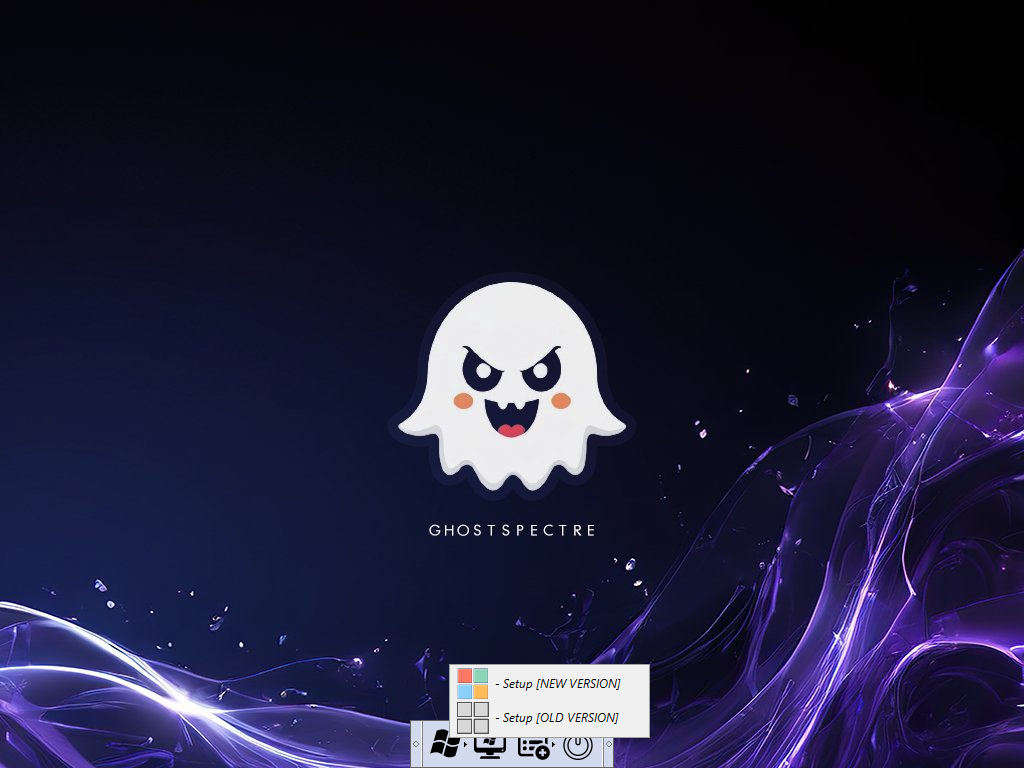
New Setup or Old Setup?
Features
– Improve DirectX12 / AI Generated / Workstation
– Compact Integrated + LZX (algorithm)
– Bloatware FREE!!
– Optimized Pagefile/Services/Scheduled/Search Indexer
– Privacy Optimizations & Performante mode!
– Ghost Toolbox! (Add or Remove Windows Store and Much More!)
– Support any Other Language & Keyboard
– Support UWP Games / UWP Apps (ex. Forza/GOW/etc etc)
– Updatable (can update to latest build windows 11!)
– Window update can be paused until 2077!
– With custom Icons packs / Windows Themes pack!
– GHOST CUSTOM BOOTABLE! (WPE)
– GHOST NORMAL BOOTABLE SV2
– Built-in TPM or Without TPM
Remove/Disables component
– Removes Windows Apps and System Apps / AI Apps
– Removes Windows Security / Defender / Smartscreen
– Disable Remote Desktop / Tablet keyboard / NFC / Clipboard / Focus Assist – (Superlite only)
– Disable Print spooler (If you need printers please set Auto in Services)
– Removes OneDrive (can get it back using ghost toolbox)
– Disable Action Center / Notifications – (Superlite only)
– Disable Telemetry – (Superlite only)
– Removes Errors reports – (Superlite only)
– Disable UAC (Never notify)
– Removes WinSxS backup
What you need to know before installing this OS modded
COMPACT
– This is untouched version, no tweaking just removing apps/bloatware.
– for Standard Users* – (Suitable for Office/Laptops/Tablet/Servers/OEM etc etc)
SUPERLITE
– This version already tweaked and removing apps/bloatware etc.
– for Advanced Users* – (Suitable for Gaming and Streaming)
NOTE:
* DEF – it’s means with Defender.
* WPE Bootable – Bootable with features.
* Normal Bootable – Just like official version Bootable.
* All Ghost Mod OS Stock Driver is not Removed.
* Windows Recovery (winre) is not Removed.
* Highly recommended using SSD/nVME on Windows 11.
* No Compress OS on Home Edition / Compact version.

| Processor | 2-4 gigahertz (GHz) or faster with 2 cores or more cores on a compatible 64-bit processor or System on a Chip (SoC). |
| RAM | 4 gigabyte (GB). |
| Storage | 64 GB or larger storage device Note: See below under “More information on storage space to keep Windows 11 up-to-date” for more details. |
| System firmware | UEFI, Secure Boot capable. Check here for information on how your PC might be able to meet this requirement. |
| TPM | Without TPM or with TPM (enabled in bios) (WPE Bootable or Normal Bootable is Supported Non-TPM / TPM) |
| Graphics card | Compatible with DirectX 12 or later with WDDM 2.0 driver. |
| Display | High definition (720p) display that is greater than 9” diagonally, 8 bits per color channel. |


WPE Bootable

WPE Bootable with features!

Size on SUPERLITE (VM)

Ghostmode + Reduced memory! (VM)

Upgrade any Ghost Os Without losing data!

Ghostmode + Reduced processes! (VM)